 ScreenDock
Mirror an iPhone or iPad to an Android tablet or phone
iPhones and iPads mirror their screen with AirPlay, and Android doesn't speak AirPlay on its own. Add a receiver app to the Android device and it appears in your iPhone's Screen Mirroring list like an Apple TV would. No cable, no app on the iPhone.
What you need
- An iPhone or iPad with Screen Mirroring (any recent iOS or iPadOS).
- An Android phone or tablet with Android 7.0 or newer. ScreenDock is tested on Samsung Galaxy Tab and Google Pixel Tablet, and works on any Android 7.0+ tablet or phone with Google Play.
- Both on the same Wi-Fi network. 5 GHz gives the smoothest picture.
Mirror your screen
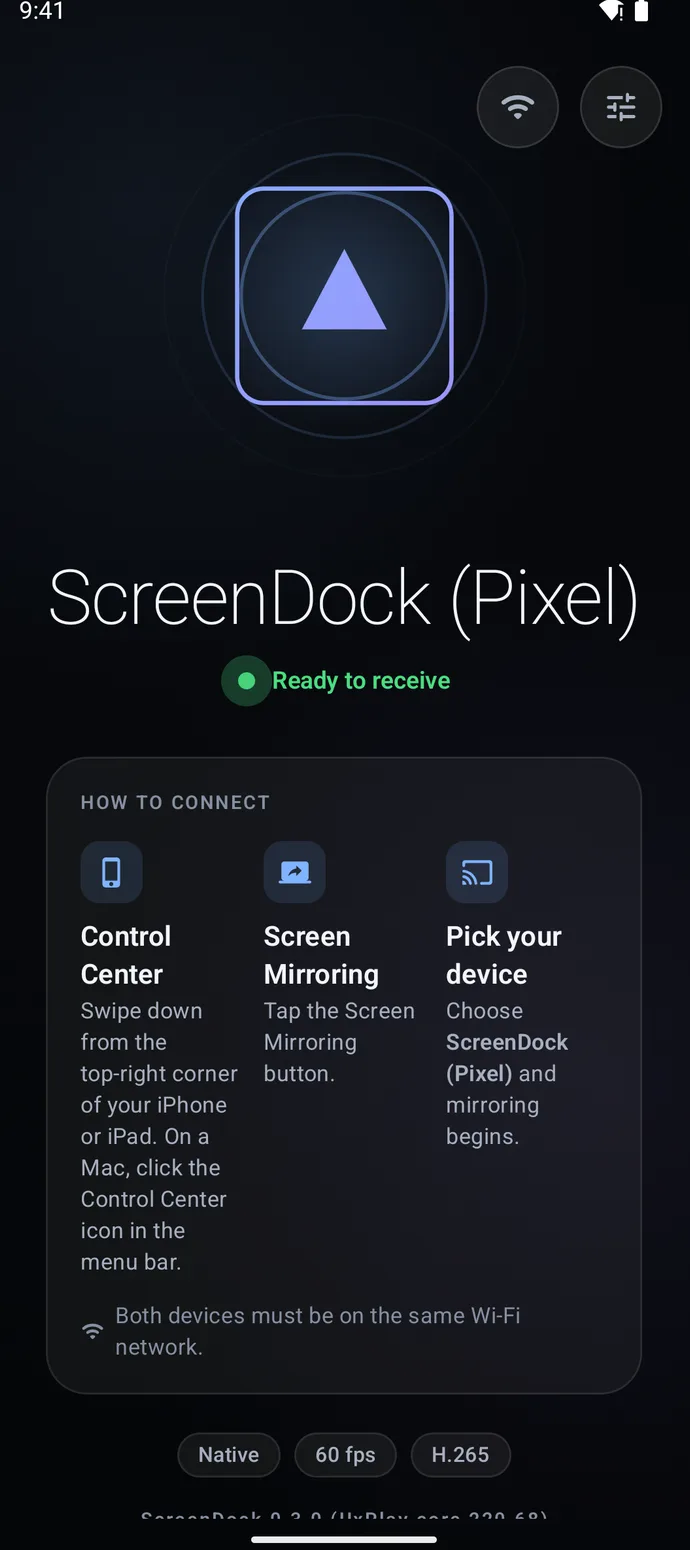
- Install and open ScreenDock on the Android device. It shows Ready to receive with its name, for example "ScreenDock (Galaxy Tab S9)".
- Open Control Center on the iPhone or iPad. Swipe down from the top-right corner.
- Tap Screen Mirroring and pick the Android device. Your screen appears in a second or two, with sound.
To stop, open Control Center again and tap Stop Mirroring, or stop the receiver from the notification on the Android device.
Send a video instead of your whole screen
In YouTube or a video on a website, tap the AirPlay button and choose the Android device. The video plays there and your iPhone stays free for other things.
Good to know
- Picture quality. ScreenDock shows the stream at the Android screen's native resolution, up to 4K at 60 fps, in H.264 or H.265.
- Rotation. Turn your iPhone sideways for videos and games and the mirrored picture follows.
- Fit the picture. Choose fit, fill or stretch in Settings when the shapes of the two screens differ.
- Privacy. The stream goes straight from your iPhone to the Android device over your Wi-Fi. Nothing passes through a server. You can add a PIN or approve each new device.
- Protected video. Netflix, Disney+ and the Apple TV app block mirroring to every third-party receiver, so those show a black screen.
- Touch. You can't control the iPhone by touching the Android screen. Keep using the iPhone itself.
Mirroring from a Mac instead?
A Mac can do more: it can mirror or use the tablet as an extra display. See use an Android tablet as a Mac second screen.
It doesn't show up in Screen Mirroring
Check that both devices are on the same network and not on a guest Wi-Fi. More fixes in ScreenDock not showing up.
Related guides
Updated