 ScreenDock
AirPlay to Android TV and Google TV
Android TV and Google TV don't support AirPlay out of the box, so your iPhone, iPad and Mac won't list them. Install a free AirPlay receiver app on the TV and they will. No Apple TV needed.
Which TVs work
Any TV or streaming box that runs Android TV or Google TV with Android 7.0 or newer and has the Google Play Store. That includes:
- Chromecast with Google TV and Google TV Streamer
- Sony Bravia TVs with Google TV or Android TV
- TCL, Hisense, Philips and other TVs with Google TV or Android TV
- Android TV boxes such as the Nvidia Shield
Fire TV devices run Amazon's own store, where ScreenDock isn't available.
Set it up
- Install ScreenDock on the TV. Open the Google Play Store on the TV, search for ScreenDock and install it. You can also install it from Google Play on the web and choose your TV as the device.
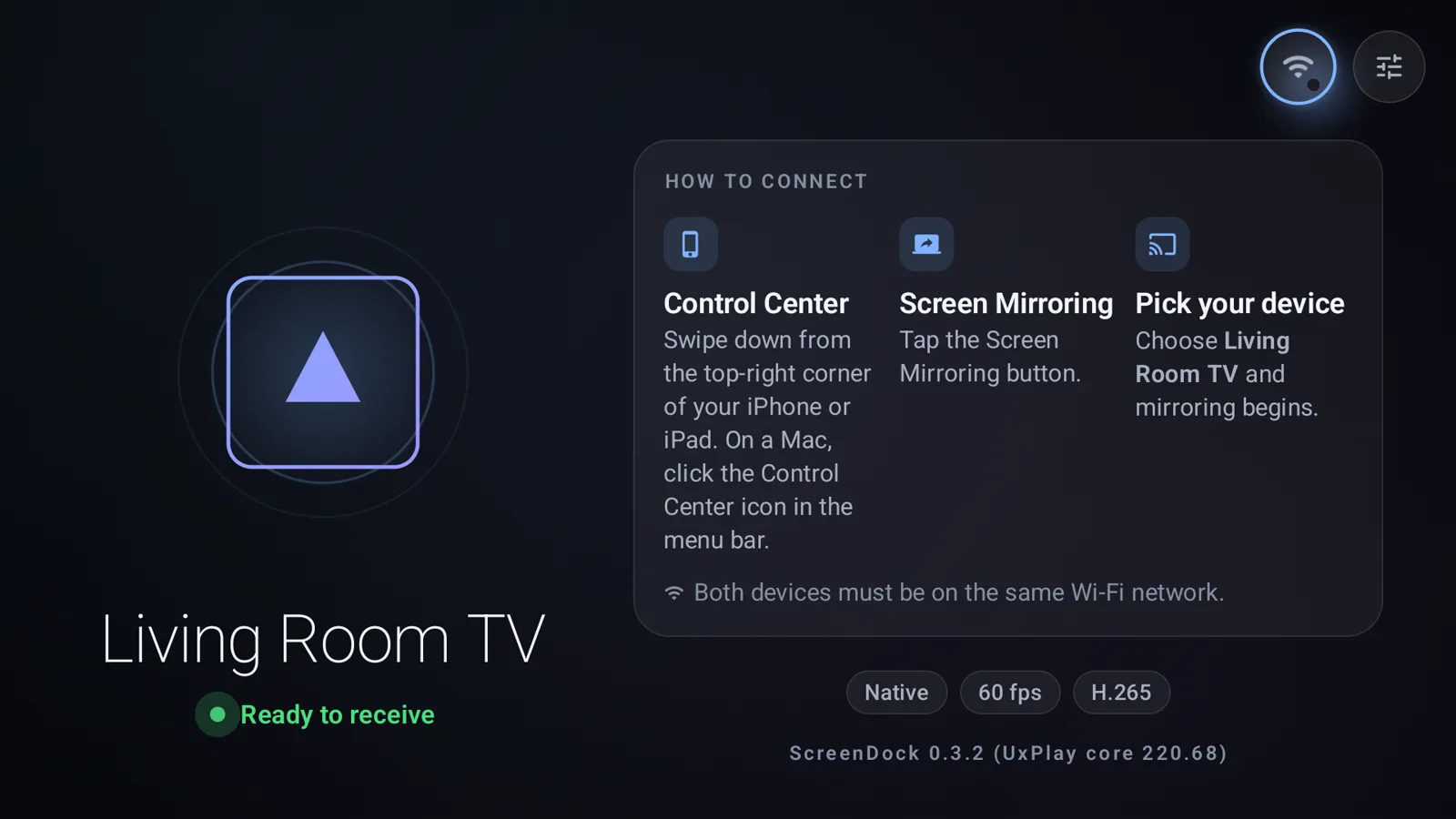
- Open it and give the TV a name. ScreenDock shows Ready to receive. In Settings you can rename the receiver, for example to "Living Room TV". Everything works with the TV remote.
- Connect from your Apple device. On iPhone or iPad, open Control Center, tap Screen Mirroring and pick the TV. On a Mac, click Control Center in the menu bar, then Screen Mirroring, then the TV.
Your iPhone, iPad or Mac and the TV must be on the same Wi-Fi network. A TV connected by Ethernet works too, as long as it's on the same home network.
What you can send to the TV
- Your whole screen. Mirror an iPhone, iPad or Mac in H.264 or H.265 at up to 4K and 60 fps, with sound.
- Videos. Tap the AirPlay button in YouTube or in a video on a website and the video plays on the TV while your phone stays free.
- Music. Send music from your iPhone with song title, artist and cover art on screen. See stream Apple Music to Android TV.
- Photos and presentations. Anything you can show on your screen.
Netflix, Disney+ and the Apple TV app won't play
Those apps protect their video with DRM and only send it to Apple-certified receivers such as an Apple TV or an AirPlay 2 TV. No third-party receiver can get around that. The good news: most of them have their own Android TV app, so install it on the TV directly.
Make it feel like a built-in feature
- Start at boot. Turn on start at boot in Settings so the TV is ready whenever it's on. On Android 15 and newer, Android asks for one tap on a notification before the receiver starts.
- Control who connects. Set a PIN, or have the TV ask before allowing each new device.
- Fit the picture. Choose fit, fill or stretch to match your TV.
The TV doesn't show up in Screen Mirroring
It's almost always the network: a guest Wi-Fi, a VPN or a router setting that isolates devices. Work through AirPlay not showing on Android TV.
Related guides
Updated